Buying Guide for the Best Digital Photo Frame For Seniors
Choosing a digital photo frame for seniors is all about making it easy to use, enjoyable to look at, and reliable over time. Seniors often appreciate simple controls, clear displays, and features that make it easy to add or change photos. When shopping, focus on frames that are straightforward to set up and operate, with displays that are comfortable to view from different angles. Think about where the frame will be placed and how photos will be added—whether by memory card, USB, or even remotely by family members. The right digital photo frame can bring daily joy and connection, so it's worth considering the features that will make it most accessible and enjoyable for the intended user.Screen SizeScreen size refers to the diagonal measurement of the display, usually in inches. This is important because a larger screen makes photos easier to see, especially for seniors who may have vision challenges. Digital photo frames typically range from about 7 inches to 15 inches or more. Smaller screens (7-8 inches) are compact and fit well on desks or small shelves, but may be harder to see from a distance. Medium screens (10-12 inches) offer a good balance between visibility and space, making them a popular choice for living rooms or bedrooms. Larger screens (13 inches and above) are best for prominent display areas and for those who want photos to be easily visible from across the room. Consider where the frame will be placed and how far away the viewer will be when choosing the right size.
ResolutionResolution is the number of pixels that make up the display, affecting how sharp and clear the photos look. Higher resolution means more detail and less blurriness, which is especially important for enjoying family photos. Common resolutions include 800x600, 1024x768, and Full HD (1920x1080). Lower resolutions can make images look pixelated, especially on larger screens. For smaller frames, a lower resolution may be acceptable, but for anything 10 inches or larger, a higher resolution will make a noticeable difference. If the senior enjoys seeing crisp, detailed images, opt for a frame with at least 1024x768 resolution or higher.
Ease of UseEase of use covers how simple it is to set up and operate the frame, including changing photos, adjusting settings, and navigating menus. This is crucial for seniors who may not be comfortable with technology. Some frames have touchscreens, while others use buttons or remote controls. Look for frames with clear instructions, intuitive menus, and minimal steps to perform basic tasks. If the user prefers not to deal with technology, consider frames that allow family members to update photos remotely or that automatically play slideshows without much setup. The right choice depends on the senior’s comfort level with gadgets and how much help they’ll have with setup.
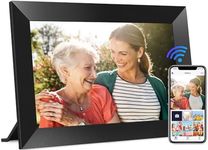
Photo Loading OptionsPhoto loading options refer to how you get pictures onto the frame. Common methods include USB drives, SD cards, or wireless transfer via Wi-Fi or email. For seniors who want a hands-off experience, frames that allow family members to send photos remotely over the internet are ideal. If the user is comfortable with basic devices, a frame that accepts SD cards or USB drives may be sufficient. Consider who will be updating the photos and how often—if family members live far away, remote updating is a valuable feature.
Viewing AngleViewing angle describes how well the screen can be seen from different positions in the room. A wide viewing angle means the picture looks good even if you’re not sitting directly in front of the frame. This is important if the frame will be placed in a common area where people move around. Frames with narrow viewing angles may look washed out or dark from the side. For seniors who may not always be sitting right in front of the frame, a wide viewing angle ensures the photos are always clear and enjoyable.
Brightness and Adjustable SettingsBrightness is how much light the screen emits, which affects how well photos can be seen in different lighting conditions. Adjustable settings for brightness, contrast, and color can help tailor the display to the room and the user’s preferences. Some seniors may prefer a dimmer display, especially in bedrooms, while others may need a brighter screen in well-lit rooms. Look for frames that allow easy adjustment of these settings so the display is always comfortable to view.
Slideshow and Playback FeaturesSlideshow and playback features determine how photos are displayed—such as how often they change, what transitions are used, and whether videos or music can be played. Some frames offer customizable slideshow intervals and effects, while others are more basic. For seniors, simple and slow transitions are often best, as they make it easier to enjoy each photo. If the user enjoys music, a frame that can play background tunes may add to the experience. Choose features that match the user’s preferences for how they want to enjoy their memories.