Buying Guide for the Best TV Wall Mounts
Choosing the right TV wall mount can make a big difference in your viewing experience and the safety of your television. The right mount will securely hold your TV, allow you to position it for the best viewing angle, and help keep your space tidy. When shopping for a TV wall mount, it's important to consider the size and weight of your TV, the type of wall you have, and how you want to be able to adjust your TV once it's mounted. Understanding the key features will help you make a choice that fits your needs and your room.VESA CompatibilityVESA compatibility refers to the standardized distance between the mounting holes on the back of your TV, measured in millimeters. This is important because your wall mount must match your TV's VESA pattern to ensure a secure fit. VESA patterns are usually listed as width x height (for example, 200x200 mm or 400x400 mm). Smaller TVs tend to have smaller VESA patterns, while larger TVs have bigger ones. To pick the right mount, check your TV's manual or the back of your TV for the VESA size, and make sure the mount you choose supports it.
Weight CapacityWeight capacity is the maximum weight a wall mount can safely hold. This is crucial for safety, as using a mount that can't support your TV's weight can lead to accidents or damage. Wall mounts are rated for different weight ranges, often listed in pounds or kilograms. Lighter TVs can use mounts with lower weight limits, while heavier or larger TVs need mounts with higher capacities. Always check your TV's weight (without the stand) and choose a mount that can handle at least that much, ideally with some extra margin for safety.
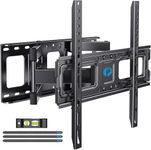
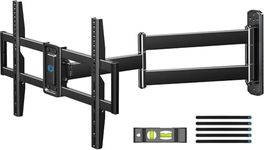
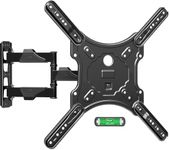
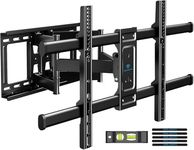
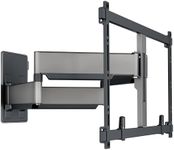
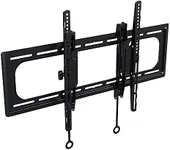
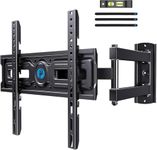
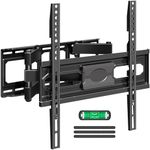
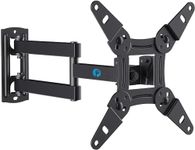
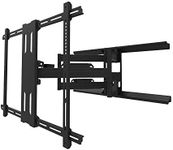
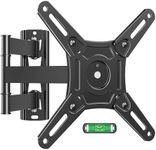
Mount Type (Fixed, Tilting, Full-Motion/Articulating)Mount type describes how much you can adjust your TV once it's on the wall. Fixed mounts hold the TV flat against the wall and are best if you always watch from the same spot. Tilting mounts let you angle the TV up or down, which is helpful if you need to mount the TV higher on the wall. Full-motion or articulating mounts allow you to pull the TV away from the wall, swivel it side to side, and tilt it, giving you the most flexibility for different viewing positions. Choose a fixed mount for a simple, low-profile look, a tilting mount if you need to reduce glare or mount high, or a full-motion mount if you want to watch from multiple spots in the room.
Wall CompatibilityWall compatibility refers to the types of walls the mount can be safely attached to, such as drywall with wooden studs, concrete, or brick. This is important because not all mounts work with every wall type, and improper installation can be dangerous. Some mounts come with hardware for different wall types, while others are designed for specific surfaces. Before buying, check what kind of wall you have and make sure the mount is suitable for it. If you're unsure, you may want to consult a professional installer.
Profile (Distance from Wall)Profile is the distance between the back of your TV and the wall when the TV is mounted. A low-profile mount keeps the TV close to the wall for a sleek look, but may make it harder to access cables. Mounts with a larger profile or those that extend from the wall make it easier to reach behind the TV for connections, but stick out more. If you want a clean, flush appearance and don't need to access the back of the TV often, go for a low-profile mount. If you need to plug and unplug cables regularly, consider a mount with more space or an articulating arm.
Cable ManagementCable management features help you organize and hide the cables that connect to your TV, keeping your setup neat and reducing clutter. Some mounts include channels or clips for routing cables along the arms or behind the TV. This is especially useful if you have multiple devices connected to your TV. If you value a tidy appearance and want to avoid visible wires, look for a mount with built-in cable management options.