Buying Guide for the Best Streaming Laptop
Choosing a laptop for streaming—whether you’re broadcasting games, hosting live chats, or sharing creative content—means finding a machine that can handle both the demands of running your streaming software and whatever else you want to do at the same time. The right laptop will let you stream smoothly, keep your video and audio quality high, and avoid frustrating slowdowns or crashes. To make the best choice, it’s important to understand the key features that affect streaming performance and how they relate to your specific needs.Processor (CPU)The processor is the brain of your laptop and plays a huge role in how well it can handle streaming tasks. A more powerful CPU can manage multiple processes at once, like running your streaming software, games, and background apps. CPUs are often divided into entry-level (dual-core), mid-range (quad-core), and high-end (six-core or more). For basic streaming, a mid-range processor is usually enough, but if you plan to stream demanding games or multitask heavily, a high-end CPU will give you smoother performance. Think about what you’ll be streaming and how many programs you’ll run at once to decide what level you need.
Graphics Card (GPU)The graphics card handles visual processing, which is especially important if you’re streaming games or editing video. Integrated graphics are fine for simple streams or talking-head videos, but for gaming or high-quality video, a dedicated GPU is better. GPUs range from basic (integrated), mid-tier (entry-level dedicated), to high-end (powerful dedicated). If your streams are mostly non-gaming, you can get by with less, but for gaming or creative work, aim for a mid-tier or high-end GPU to avoid lag and keep your stream looking sharp.
RAM (Memory)RAM helps your laptop juggle multiple tasks at once. More RAM means your system can handle more open programs and browser tabs without slowing down. For streaming, 8GB is the minimum, 16GB is comfortable for most users, and 32GB or more is best for heavy multitasking or professional-level streaming. If you plan to run several apps at once or stream in high quality, more RAM will help keep everything running smoothly.
Storage (SSD vs HDD)Storage affects how quickly your laptop boots up, loads programs, and saves files. Solid State Drives (SSD) are much faster than traditional Hard Disk Drives (HDD), making your streaming experience smoother. SSDs come in different sizes, from 256GB to 1TB or more. If you store lots of videos or games, go for a larger SSD or a combination of SSD and HDD. For most streamers, a 512GB SSD is a good starting point, but your needs may vary based on how much content you keep on your laptop.
Display QualityA good display helps you monitor your stream and content clearly. Look for a screen with at least Full HD (1920x1080) resolution for sharp visuals. Higher refresh rates (like 120Hz or 144Hz) are useful for gaming, but not essential for all streamers. If you edit video or care about color accuracy, consider a display with good color reproduction. Choose a screen size and quality that fits your workspace and how you like to work.
Ports and ConnectivityStreaming often requires connecting cameras, microphones, and other devices. More ports (USB, HDMI, audio jacks) make it easier to set up your gear. Some laptops have only a few ports, while others offer a wide range. Think about what equipment you’ll use and make sure the laptop has enough of the right ports. Fast Wi-Fi (Wi-Fi 6) or an Ethernet port is also important for a stable internet connection during streams.
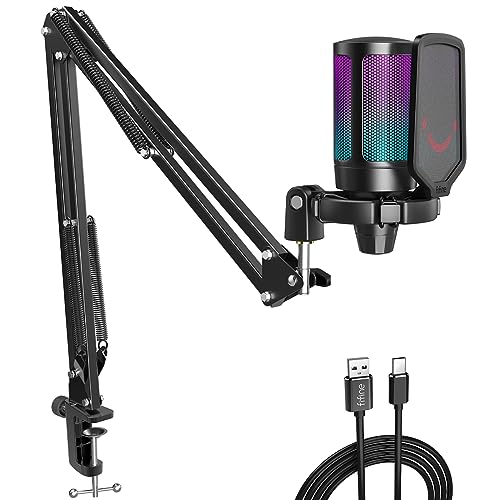
Webcam and MicrophoneA built-in webcam and microphone are essential for most streamers, but their quality can vary. Basic webcams are fine for casual streaming, but for a professional look, you might want a laptop with a high-quality webcam or plan to use an external one. The same goes for microphones—built-in mics are okay for simple streams, but external mics offer much better sound. Consider your streaming style and whether you’ll upgrade these components.
Battery LifeBattery life matters if you plan to stream away from a power outlet. Streaming is demanding and can drain batteries quickly, so look for a laptop with a battery that can last through your typical streaming sessions. If you mostly stream at a desk, this is less important, but for portable setups, longer battery life is a big plus.