Buying Guide for the Best Samsung Chargers
Choosing the right charger for your Samsung device is important to ensure safe, efficient, and reliable charging. Not all chargers are created equal, and using the wrong one can lead to slow charging, overheating, or even damage to your device. When picking a charger, you should consider how and where you plan to use it, what devices you need to charge, and whether you want extra features like fast charging or multiple ports. Understanding the key specifications will help you make a choice that fits your needs and keeps your devices powered up safely.Wattage (Power Output)Wattage tells you how much power the charger can deliver to your device, usually measured in watts (W). This is important because higher wattage chargers can charge your device faster, but only if your device supports it. Chargers typically range from 5W (slow charging) to 25W or more (fast charging). If you have a newer Samsung phone or tablet that supports fast charging, look for a charger with higher wattage, like 15W, 25W, or even higher. For older devices or if you only need to charge overnight, a lower wattage charger is sufficient. Always check your device’s maximum supported charging speed to avoid buying a charger that’s more powerful than you need.
Charging Technology (Standard)Charging technology refers to the method the charger uses to deliver power, such as USB Power Delivery (PD), Samsung Adaptive Fast Charging, or Quick Charge. This matters because your device will only benefit from fast charging if the charger uses a compatible technology. For most recent Samsung devices, Adaptive Fast Charging or USB PD are the best matches. If you want the fastest and safest charging, make sure the charger supports the same standard as your device. If you have multiple devices from different brands, a charger with universal standards like USB PD is more versatile.
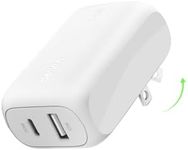
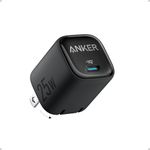
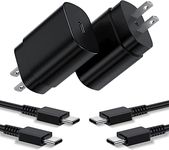
Port Type (USB-A, USB-C)The port type is the shape and design of the connector on the charger. Most modern Samsung devices use USB-C, which allows for faster charging and data transfer. Older chargers may use USB-A, which is more common but generally slower. If your device uses a USB-C cable, it’s best to get a charger with a USB-C port for optimal performance. If you have multiple devices with different cables, you might want a charger with both USB-A and USB-C ports for flexibility.
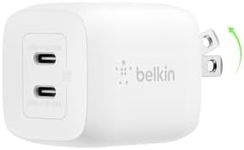
Number of PortsThe number of ports determines how many devices you can charge at once. Single-port chargers are compact and good for personal use, while multi-port chargers are useful if you need to charge several devices at the same time, like a phone, tablet, and smartwatch. If you travel often or have a lot of gadgets, a charger with multiple ports can be very convenient. Choose based on how many devices you usually need to charge together.
Safety FeaturesSafety features protect your device and the charger from problems like overheating, overcharging, and short circuits. Good chargers have built-in protections to prevent damage to your device and reduce the risk of fire or electric shock. Look for chargers that mention safety certifications or features like overcurrent protection, temperature control, and automatic shutoff. This is especially important if you plan to leave your device charging overnight or unattended.
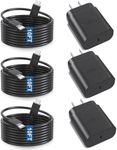
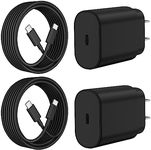
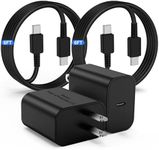
Cable Quality and LengthThe quality and length of the charging cable can affect charging speed and convenience. A high-quality cable ensures efficient power delivery and lasts longer, while the right length makes it easier to use your device while charging. Short cables are good for travel or desk use, while longer cables are better if your power outlet is far from where you use your device. Make sure the cable matches your device’s port (usually USB-C for newer Samsung devices) and is certified for fast charging if you want the best performance.