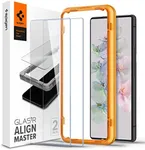
Buying Guide for the Best Pixel Glass Screen Protector
Choosing the right glass screen protector for your device is important to keep your screen safe from scratches, drops, and everyday wear. A good screen protector can extend the life of your device and keep it looking new. When shopping for a glass screen protector, it's helpful to understand the key features that affect protection, usability, and overall experience. By knowing what each feature means and how it relates to your needs, you can make a confident choice.Hardness RatingThe hardness rating, often shown as '9H' or similar, tells you how resistant the glass is to scratches and minor impacts. This rating is based on the pencil hardness scale, where 9H is the highest commonly used for screen protectors. A higher rating means better protection against keys, coins, and other sharp objects. If you often keep your phone in a bag or pocket with other items, a higher hardness rating is a good idea. For lighter use, a slightly lower rating may still offer enough protection.
ThicknessThickness refers to how thick the glass layer is, usually measured in millimeters (mm) or micrometers (µm). Thicker protectors (around 0.4mm) offer more impact resistance but may feel bulkier and slightly affect touch sensitivity. Thinner protectors (around 0.2mm) are less noticeable and feel more like the original screen, but may offer less protection from drops. If you prioritize protection, go for a thicker option; if you want a natural feel, a thinner one may suit you better.
Oleophobic CoatingAn oleophobic coating is a special layer that helps resist fingerprints, smudges, and makes cleaning easier. This coating is important if you want your screen to stay clear and easy to wipe. Some protectors have a stronger or longer-lasting coating than others. If you use your device a lot or dislike cleaning your screen often, look for a protector with a good oleophobic coating.
Edge DesignEdge design describes how the edges of the glass are finished. Common types are 2.5D (slightly curved edges) and 3D (fully curved to match the device's screen). Curved edges make the protector more comfortable to use and less likely to chip. If your device has a curved screen, a 3D edge protector will fit better and offer more complete coverage. For flat screens, 2.5D is usually enough.
Clarity and TransparencyClarity refers to how clear the glass is and how well it lets light through. High transparency means your screen will look bright and colors will stay true. Some protectors may have a slight tint or reduce brightness. If you care about display quality, look for a protector that advertises high clarity or 99% transparency. This is especially important if you watch videos or view photos often.
Touch SensitivityTouch sensitivity is about how well the screen responds to your fingers with the protector on. A good protector should not noticeably affect how your device reacts to taps and swipes. Some thicker or lower-quality protectors can make the screen feel less responsive. If you play games or type a lot, make sure the protector is known for maintaining good touch sensitivity.
Installation MethodThe installation method describes how easy it is to apply the protector without bubbles or misalignment. Some come with installation kits or frames to help you line things up perfectly. If you are worried about applying the protector yourself, look for one with an easy installation process or included tools. This can save you frustration and ensure a better fit.


![[2+2 Pack] LK 2 Pack Compatible for Google Pixel 8 Tempered Glass Screen Protector + 2 Pack Camera Lens Screen Protector, Easy Installation 9H Hardness glass film Anti-Scratch 6.3-inch](https://images-proxy.bestreviews.guide/uxEoLkf1FpaOYSqIy_7GjEZhmz0=/0x150/https://m.media-amazon.com/images/I/41MiC8wOVZL._AC_CX679_.jpg)


![[3+3 Pack] QUESPLE for Google Pixel](https://images-proxy.bestreviews.guide/bw_1IJE9lvPqzf9FOND6ElUAx-s=/0x150/https://m.media-amazon.com/images/I/51eWM6Arn0L._AC_CX679_.jpg)