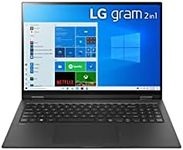
Buying Guide for the Best Lightest Laptops
When shopping for the lightest laptops, your main goal is to find a device that is easy to carry around without sacrificing too much on performance or usability. Lightweight laptops are perfect for people who travel often, students, or anyone who needs to move their computer from place to place frequently. However, making a laptop lighter often means some trade-offs in terms of battery life, screen size, or power. Understanding the key specifications will help you choose a laptop that fits your lifestyle and work habits.WeightWeight is the most important factor when looking for the lightest laptops. It tells you how heavy the laptop is, usually measured in kilograms or pounds. Laptops can be divided into three main weight categories: ultra-light (under 1 kg or about 2.2 lbs), light (1-1.5 kg or about 2.2-3.3 lbs), and standard (1.5-2 kg or about 3.3-4.4 lbs). Ultra-light laptops are best for those who prioritize portability above all else, such as frequent travelers or commuters. Light laptops offer a good balance between portability and features, while standard ones may be a bit heavier but often come with more power or bigger screens. Think about how often you’ll carry your laptop and how much weight you’re comfortable with.
Screen SizeScreen size affects both the weight and usability of a laptop. Smaller screens (11-13 inches) make the laptop lighter and more compact, which is great for portability, but can feel cramped for long work sessions or multitasking. Medium screens (13-14 inches) offer a balance between portability and comfort, while larger screens (15 inches and above) are heavier but better for productivity and entertainment. Choose a screen size that matches your main use: go smaller if you’re always on the go, or a bit larger if you need more space for work or media.
Battery LifeBattery life tells you how long the laptop can run on a single charge. Lightweight laptops sometimes have smaller batteries to keep the weight down, which can mean shorter battery life. Battery life can range from a few hours to over 12 hours. If you need to use your laptop away from power outlets for long periods, look for models with longer battery life, even if it means a slight increase in weight. If you’re mostly near a charger, you can prioritize weight over battery life.
Build MaterialThe material used for the laptop’s body affects both its weight and durability. Common materials include plastic, aluminum, and magnesium alloy. Plastic is usually lighter but less sturdy, while metal bodies are more durable but can add some weight. Magnesium alloy offers a good mix of lightness and strength. If you need a laptop that can handle bumps and knocks, consider a metal or alloy build, but if every gram counts, a well-made plastic laptop might be best.
Performance (Processor and RAM)Performance is determined by the processor (CPU) and memory (RAM). Lightweight laptops often use energy-efficient processors that are less powerful than those in heavier models. For basic tasks like web browsing, email, and document editing, a lower-end processor and 4-8GB of RAM are usually enough. If you need to run more demanding software or multitask heavily, look for a laptop with a more powerful processor and at least 8GB of RAM, but keep in mind this might add some weight.
Port SelectionThe number and type of ports (USB, HDMI, headphone jack, etc.) can be limited in the lightest laptops to save space and weight. Some ultra-light laptops may only have one or two USB-C ports. If you need to connect many devices or use specific accessories, check the port selection carefully. If you’re okay with using adapters or docking stations, you can go for the lightest models, but if you want everything built-in, you might need to accept a slightly heavier laptop.