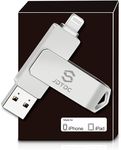
Buying Guide for the Best Iphone Flash Drives
Choosing an iPhone flash drive can make transferring, backing up, and storing your files much easier, especially if you often run out of space on your device or need to move files between your iPhone and other devices. The right flash drive for you will depend on how you plan to use it, how much storage you need, and what devices you want to connect it to. Understanding the key features will help you pick a drive that fits your needs and works smoothly with your iPhone.CapacityCapacity refers to how much data the flash drive can hold, usually measured in gigabytes (GB) or terabytes (TB). This is important because it determines how many photos, videos, documents, or other files you can store. Flash drives come in a range of sizes, from as little as 16GB up to 1TB or more. If you only need to transfer a few documents or photos occasionally, a smaller capacity may be enough. If you want to back up your entire photo library or store lots of videos, a larger capacity is better. Think about the types and amount of files you want to store or move, and choose a size that gives you some room to grow.
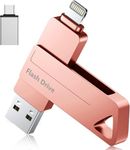
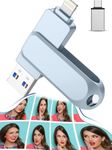
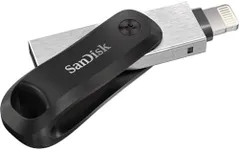
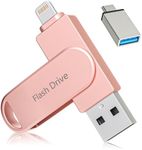
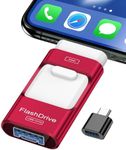
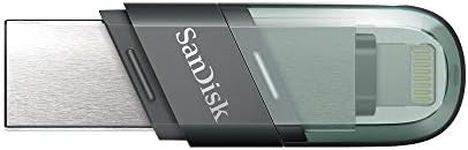
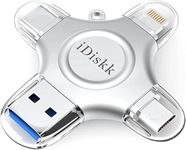
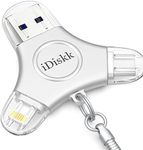
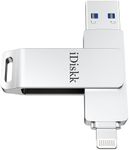
Connector TypeThe connector type is the plug that attaches the flash drive to your device. For iPhones, you need a drive with a Lightning connector, but many drives also include a USB-A, USB-C, or both, so you can use them with computers or other devices. Some drives have dual connectors, making it easy to move files between your iPhone and a laptop or tablet. If you only plan to use the drive with your iPhone, a single Lightning connector is fine. If you want to transfer files to other devices, look for a drive with multiple connector types.
Transfer SpeedTransfer speed is how quickly the flash drive can move files to and from your iPhone. This is important if you often transfer large files like videos, as slow speeds can be frustrating. Transfer speed is usually measured in megabytes per second (MB/s). Lower speeds (under 20 MB/s) are fine for small files, but for larger files or frequent transfers, look for higher speeds (over 60 MB/s). Your needs will depend on how often and what type of files you transfer—if you mostly move photos or documents, speed is less critical, but for videos or big backups, faster is better.
App CompatibilityMost iPhone flash drives require a companion app to manage files, since iOS doesn't allow direct access to external storage. The quality and features of these apps can vary. A good app should be easy to use, support a variety of file types, and allow you to back up photos, videos, and contacts easily. Before buying, check if the drive's app is well-reviewed and updated regularly. If you want to do more than just basic transfers—like organizing files or backing up specific data—make sure the app supports those features.
Build Quality and PortabilityBuild quality refers to how sturdy and durable the flash drive is, while portability is about how easy it is to carry around. Some drives are made of metal and can withstand drops or bumps, while others are plastic and lighter. If you plan to carry the drive on your keychain or in your bag, look for a compact and durable design. If you mostly use it at home, size and toughness may be less important. Think about where and how you'll use the drive to decide what level of build quality and portability you need.
Security FeaturesSome iPhone flash drives offer security features like password protection or encryption to keep your files safe. This is important if you store sensitive information or want to make sure your data is protected if the drive is lost. Security features can range from simple password locks to advanced encryption. If you need to keep your files private, look for a drive with strong security options. If you're just moving non-sensitive files, this may be less important.