Buying Guide for the Best Homekit Light Switch
Choosing a HomeKit-compatible light switch is a great way to make your home smarter and more convenient. The right switch will let you control your lights with your voice, phone, or even set schedules and automations. To find the best fit, you should think about your home's wiring, the features you want, and how you plan to use smart lighting in your daily life. Understanding the key specifications will help you make a confident and informed choice.Wiring CompatibilityWiring compatibility refers to whether the smart switch can be installed with the electrical wiring you have at home. Most smart switches require a neutral wire, which is a common wire in newer homes but may be missing in older ones. If your home doesn't have a neutral wire, you'll need to look for switches specifically designed for that situation. Before buying, check your switch box to see what wires are available. Picking the right compatibility ensures safe installation and proper functioning.
Single-Pole vs. Multi-Way SupportThis specification tells you whether the switch can control a light from just one location (single-pole) or from multiple locations (multi-way, like a hallway with two switches). If you want to replace a switch that controls a light from more than one spot, make sure the smart switch supports multi-way setups. For simple, single-location control, a single-pole switch is enough. Knowing how your current switches work will guide you to the right choice.
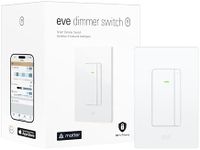
Dimming CapabilityDimming capability means the switch can adjust the brightness of your lights, not just turn them on or off. Some smart switches offer dimming, while others do not. If you want to set the mood or save energy by lowering light levels, look for a dimmer switch. However, make sure your light bulbs are also dimmable. If you only need basic on/off control, a standard switch will do.
HomeKit IntegrationHomeKit integration ensures the switch works smoothly with Apple's smart home system, letting you control it with Siri, the Home app, and automations. All HomeKit switches should offer this, but some may have extra features like scene support or advanced automations. If you want deep integration with other Apple devices and accessories, check for these extra HomeKit features. For basic control, standard HomeKit compatibility is sufficient.
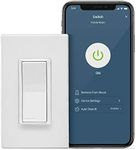
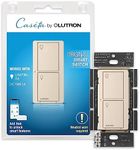
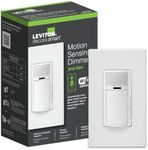
Physical Design and ControlsThe physical design includes the look, size, and feel of the switch, as well as any extra buttons or indicators. Some switches have touch controls, LED indicators, or extra buttons for scenes. Consider how the switch will look in your home and whether you want extra features like night lights or scene buttons. If you prefer a traditional look, choose a simple design; if you want more control at the wall, look for added features.
Installation ProcessThe installation process covers how easy or difficult it is to set up the switch. Some switches are designed for DIY installation with clear instructions, while others may require an electrician. If you're comfortable with basic electrical work, you might handle it yourself, but if not, look for switches with easy installation features or plan to get professional help. Picking a switch that matches your comfort level with installation will make the process smoother.
Wireless ConnectivityWireless connectivity refers to how the switch communicates with your smart home system. HomeKit switches may use Wi-Fi, Bluetooth, or Thread. Wi-Fi offers wide compatibility and range, Bluetooth is simple but may have limited range, and Thread is newer with fast, reliable connections. If you want fast response and future-proofing, Thread is a good choice, but Wi-Fi is widely supported. Consider your home's network and other smart devices when choosing.